

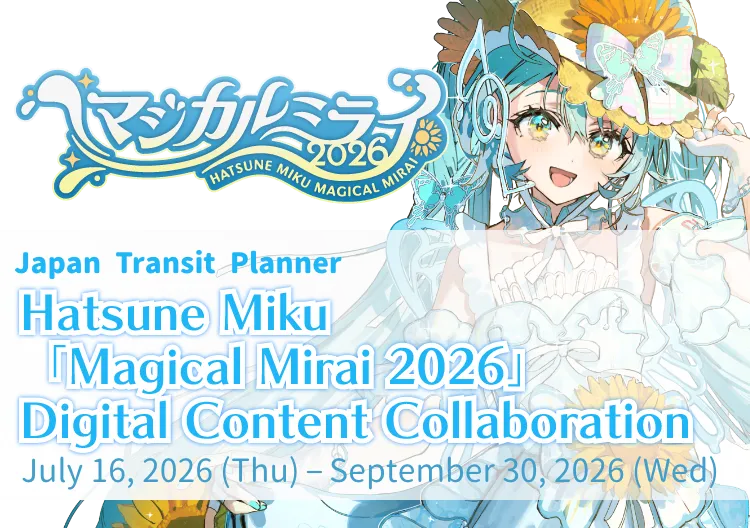

 ① Customize
the App with
Magical Mirai
2026 Themes
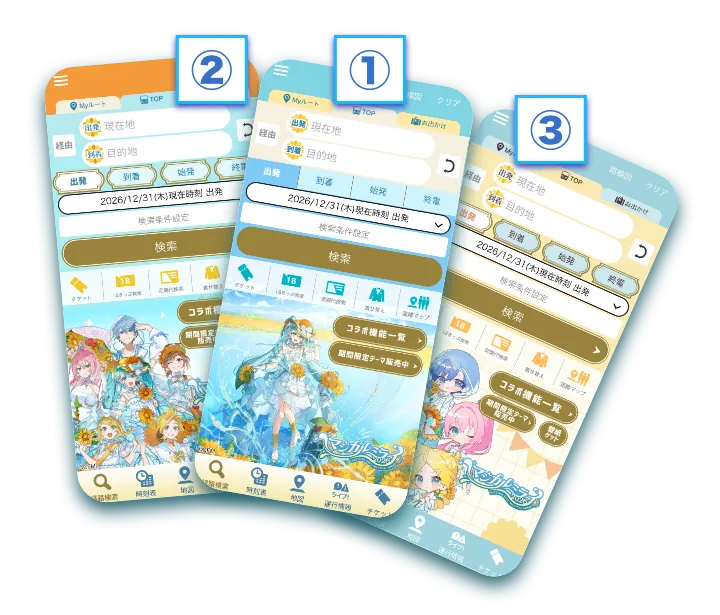 We're offering a one-time purchase version that you can keep forever!
【Collaboration Theme Details】
One-Time
Purchase
theme1 theme
2 theme
3
Price:
¥500 (tax included)
Available:
July 16, 2026 (Thu) 〜
Sales Period:
July 16, 2026 (Thu) – September 30, 2026 (Wed)
Available even after the collaboration period ends.
*A separate payment is required to purchase the one-time purchase version, even if you are currently using Plus mode.
*To use the one-time purchase version, you must update to the latest version of the app. Please update the app before use.
Monthly
Subscription
theme2 theme
3
Price:
Available with the 360-yen/month (tax included) plan or while using the "Plus mode" of the transit navigation service.
Available:
July 16, 2026 (Thu) – September 30, 2026 (Wed)
Unavailable after the collaboration period ends.
Free Version
theme1
Price:
Free
Available:
July 16, 2026 (Thu) – September 30, 2026 (Wed)
Unavailable after the collaboration period ends.
【How to use collaboration themes】
① After downloading the app, tap "Menu" and select "Theme."
 Look for the suit icon on the left.
If you have already downloaded the app, you can open the outfit change menu immediately using the button below.
② Tap the "Magical Mirai 2026" theme you wish to use.
Free themes are available for immediate use.For paid themes, you will be prompted to select a paid plan or make a one-time purchase. Please follow the instructions provided to proceed.
Please update to the latest version of the app to use it.
② Collect Exclusive Collaboration Bonus Images!
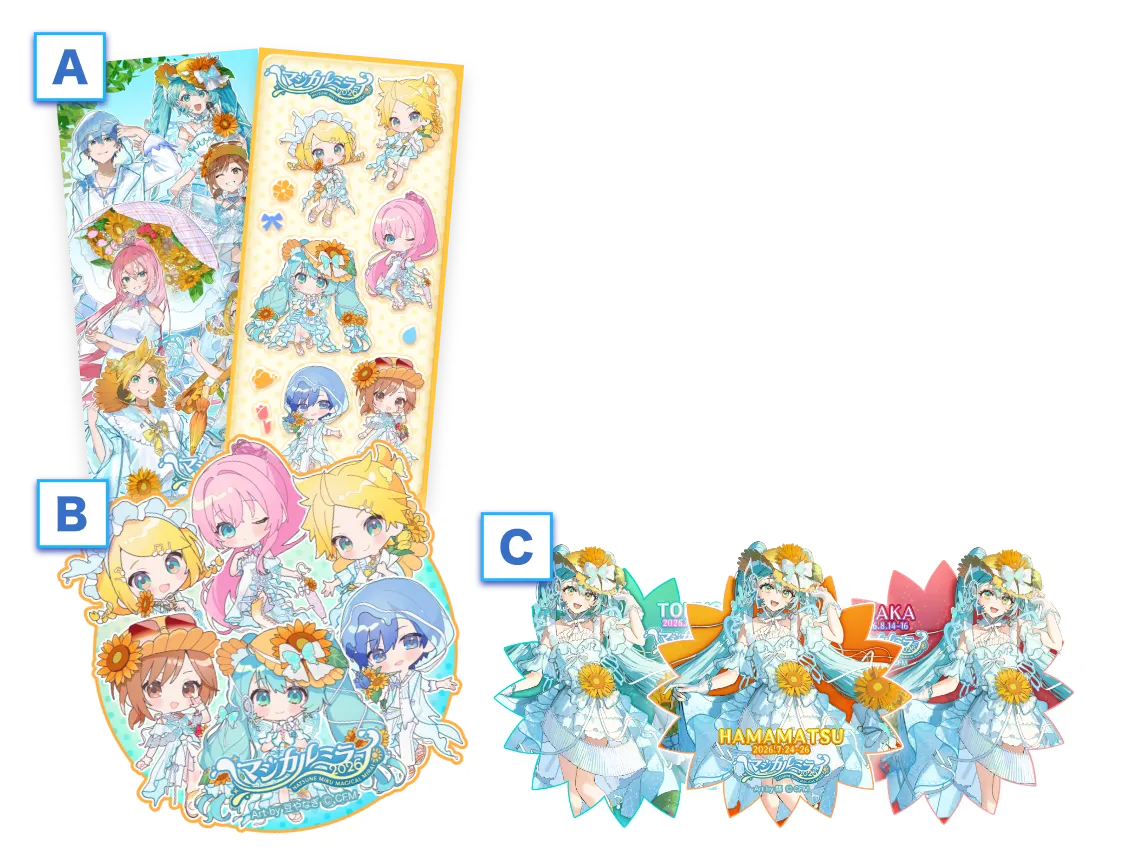 A total of 6 exclusive collaboration bonus images are available!
How to Get Them
【A: Smartphone Wallpapers (2 designs)】
Apply Theme ② (Illustration by Hachisan) or Theme ③ (Illustration by Mameyanagi), then download them using the button on the Home screen.【B: Mameyanagi Illustration Sticker-Style Image】
Complete the Character Collection mini-game in Event Mode to unlock the download.【C: Commemorative Digital Stamps (3 designs)】
Turn on your device's location services and visit each event venue. When you're nearby, you can download the stamps from the Collaboration Features page. Event-related features, such as Event Mode and the downloading of bonus images, will be available until September 30, 2026, for both the monthly subscription and one-time purchase versions. ③ Find Your Way with
the Event Map!
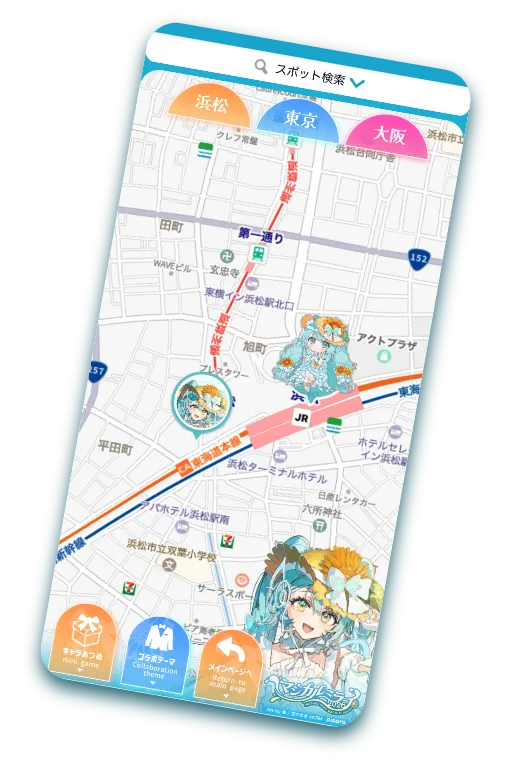 Check directions to the venue, discover nearby shops, and enjoy the character collection mini-game!
How to Use
①Apply an "Magical Mirai 2026" collaboration theme.
②Tap "Collaboration Features" on the Home screen.
Access all collaboration features from this page.③Tap "Collect Characters on the Event Map."
The Event Map will open. You can also play the Character Collection mini-game in Event Mode.④Tap a pin for any location you're interested in.
Select "Go Here" to search for directions—perfect for getting to the event! Event-related features, such as Event Mode and the downloading of bonus images, will be available until September 30, 2026, for both the monthly subscription and one-time purchase versions.
Jorudan's "Japan Tranjit Planner" is
a comprehensive navigation app that helps you get to
your destination without getting lost.
○ Supports route searches for trains and bullet trains nationwide, over 1,300 bus companies, airplanes and ferries, walking routes, taxis and shared bicycles!
○ Also equipped with convenient functions for going out, such as mobile tickets and smart city mode!


 Start using it in the app now! ▶︎